Account deletion Help Line
If you choose to delete your account, your Autism 911 HelpLine account will be deactivated and scheduled for permanent deletion.
❗ Please note: your account and associated information will be retained for 15 days to allow you to request reactivation if the deletion request was made by mistake.
If no reactivation request is received within 15 days, your account and associated personal information will be permanently deleted from the system and will no longer be accessible or recoverable.
We recommend saving any important data you may need before proceeding.
If you have any questions or need help, feel free to reach out to our support team — we’re here for you.
Thank you for being part of the Autism 911 community.
👉 To start the account deletion process, follow the steps below in the Autism 911 HelpLine app.
To request deletion of your account from the Autism 911 Help Line app, follow these steps:
-
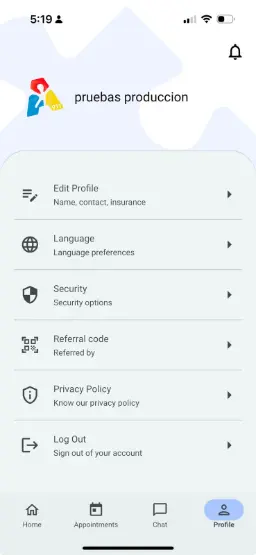
Open the app and go to your Profile Menu.
-
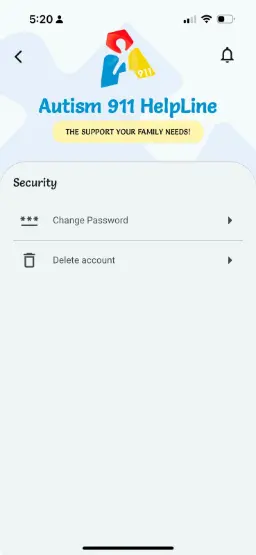
Tap on Security
-
Select the option “Delete Account”.
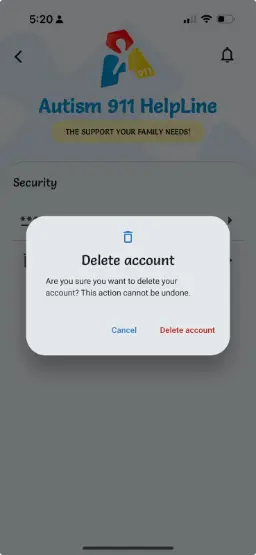
- A confirmation alert will appear asking if you're sure you want to proceed.
- Once confirmed, your account will be deactivated and the 15-day deletion process will begin. You will receive a confirmation email with information about the reactivation period.
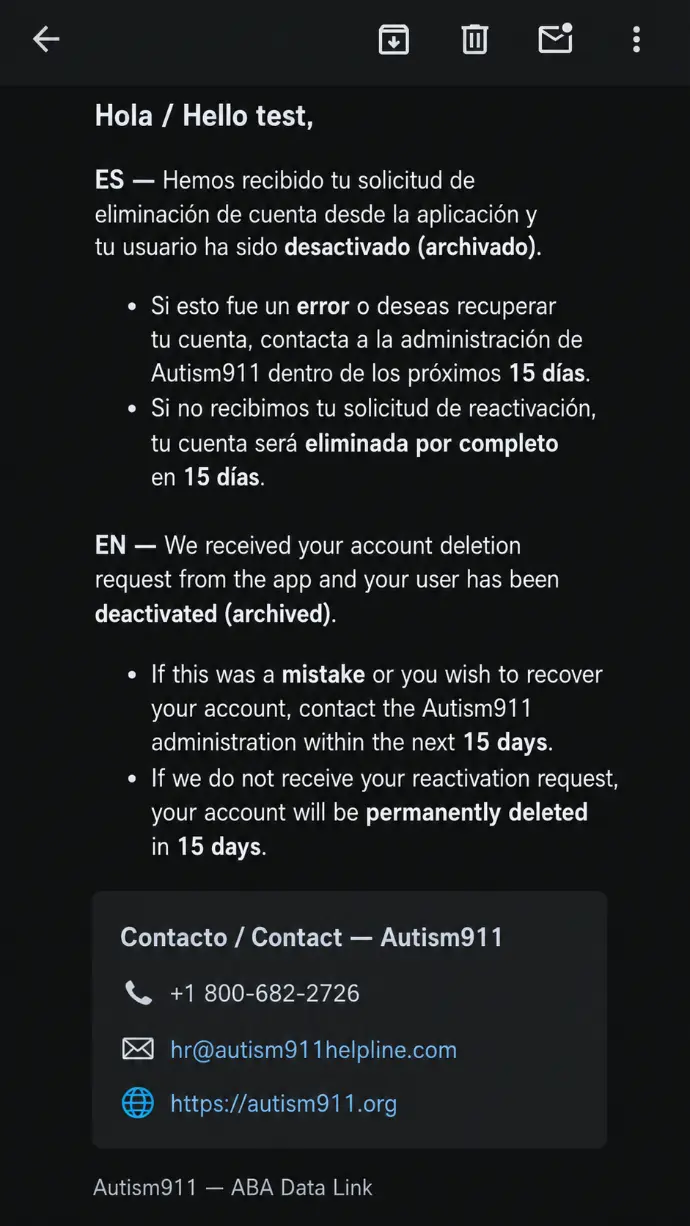
⚠️ Reminder: Your account can be reactivated during the 15-day period. After this period expires and the account is permanently deleted, it can no longer be recovered
Account deletion RBTs
If you choose to delete your account, your Autism 911 RBTs account will be deactivated and scheduled for permanent deletion.
❗ Please note: your account and associated information will be retained for 15 days to allow you to request reactivation if the deletion request was made by mistake.
If no reactivation request is received within 15 days, your account and associated personal information will be permanently deleted from the system and will no longer be accessible or recoverable.
We recommend saving any important data you may need before proceeding.
If you have any questions or need help, feel free to reach out to our support team — we’re here for you.
Thank you for being part of the Autism 911 community.
👉 To start the account deletion process, follow the steps below in the Autism 911 RBTs app.
To request deletion of your account from the Autism 911 RBTs app, follow these steps:
-
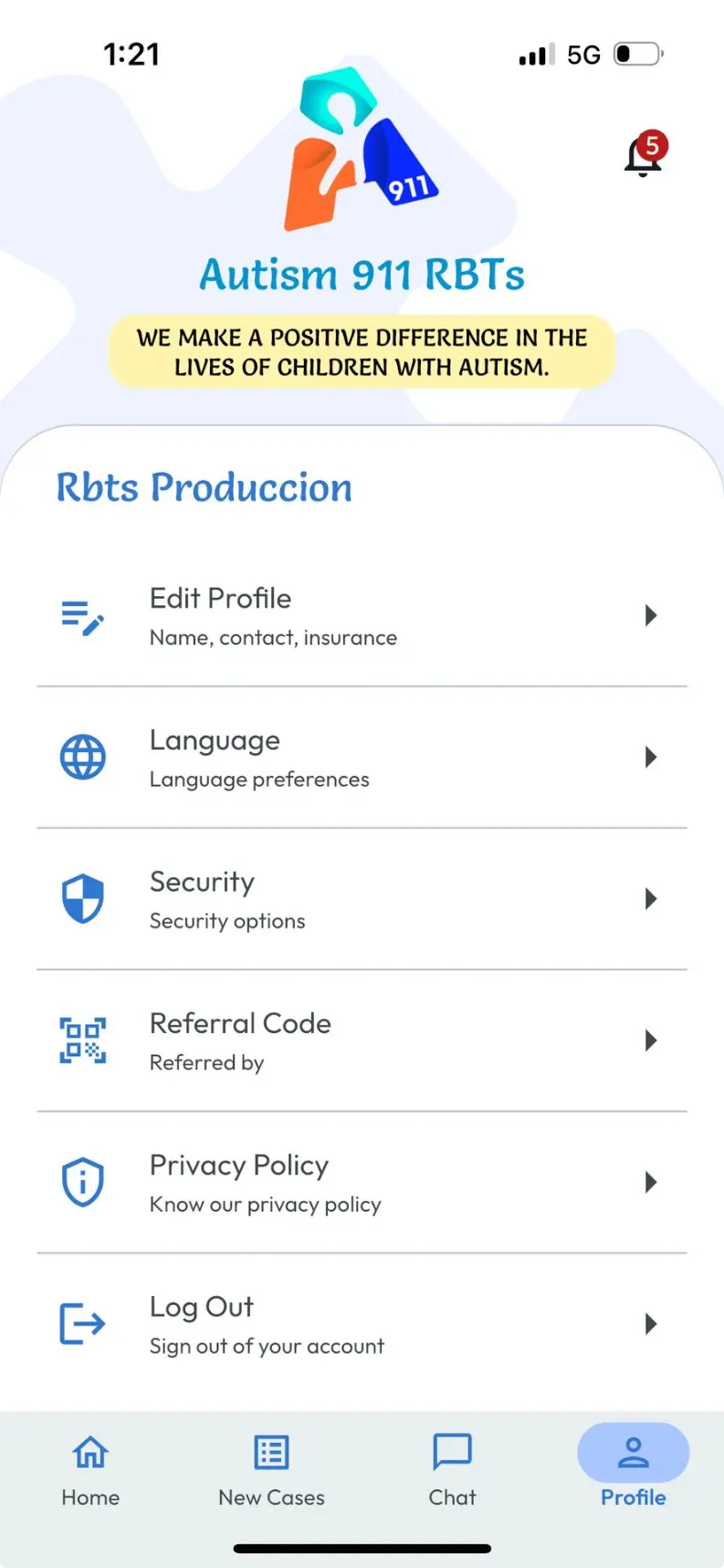
Open the app and go to your Profile Menu.
-
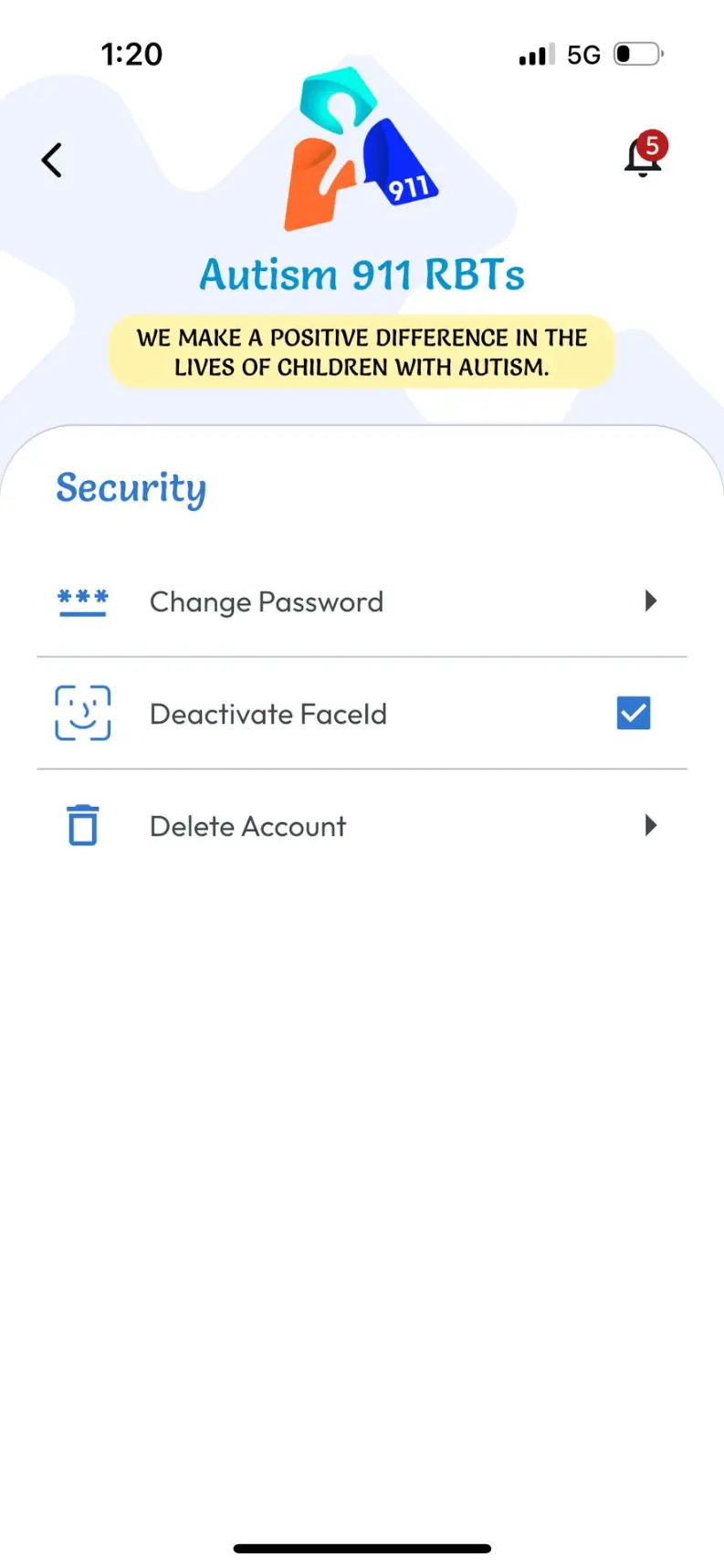
Tap on Security
-
Select the option “Delete Account”.
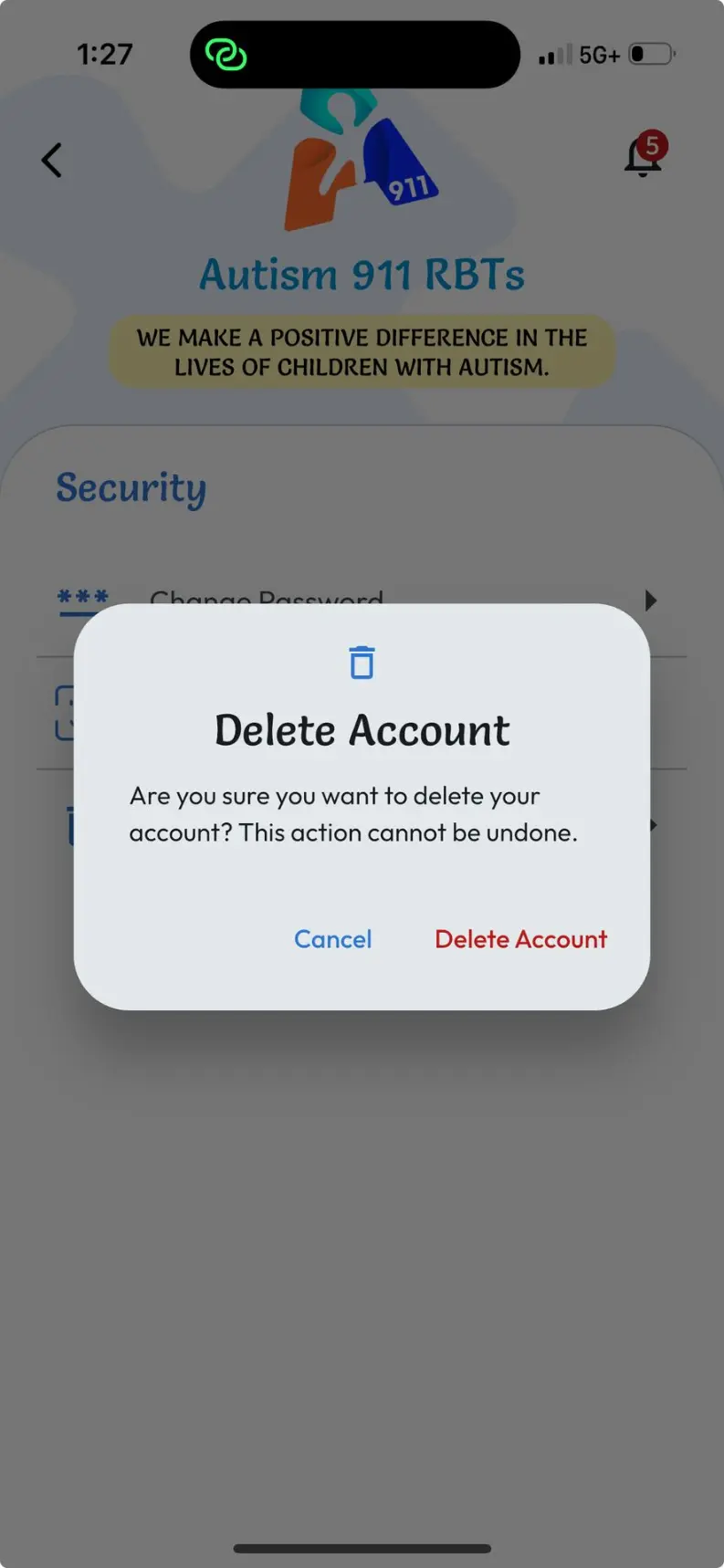
- A confirmation alert will appear asking if you're sure you want to proceed.
- Once confirmed, your account will be deactivated and the 15-day deletion process will begin. You will receive a confirmation email with information about the reactivation period.
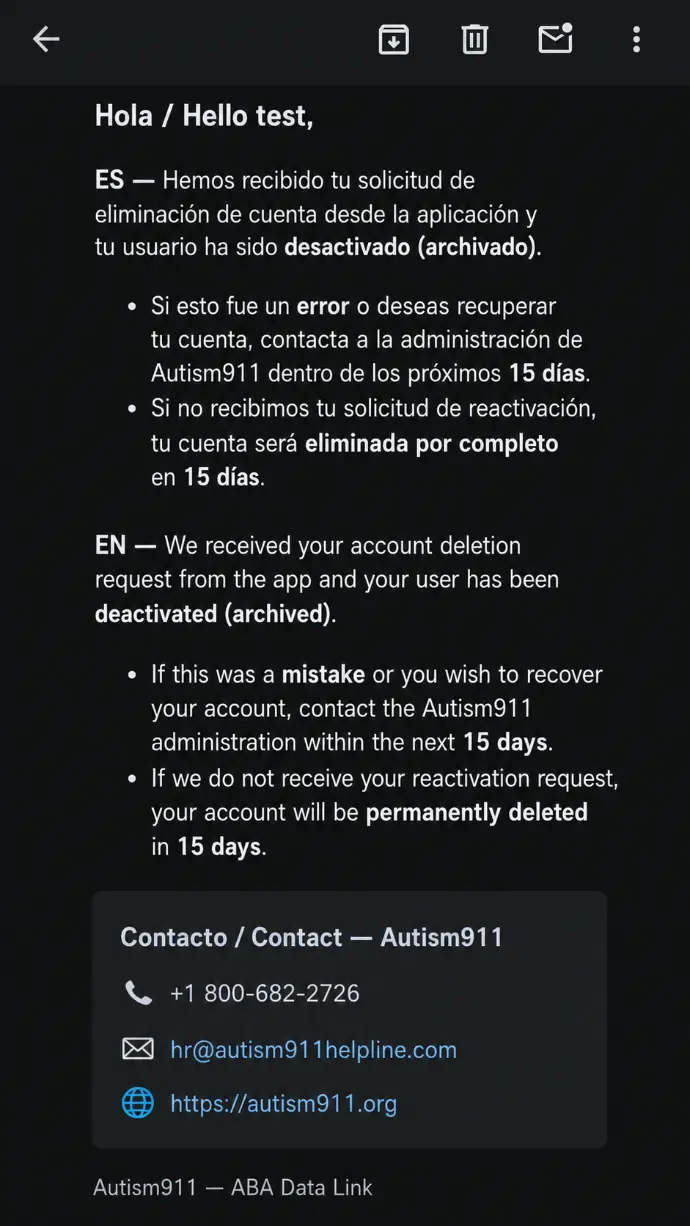
⚠️ Reminder: Your account can be reactivated during the 15-day period. After this period expires and the account is permanently deleted, it can no longer be recovered.
Account deletion LeadAnalyst
If you choose to delete your account, your Autism 911 LeadAnalyst account will be deactivated and scheduled for permanent deletion.
❗ Please note: your account and associated information will be retained for 15 days to allow you to request reactivation if the deletion request was made by mistake.
If no reactivation request is received within 15 days, your account and associated personal information will be permanently deleted from the system and will no longer be accessible or recoverable.
We recommend saving any important data you may need before proceeding.
If you have any questions or need help, feel free to reach out to our support team — we’re here for you.
Thank you for being part of the Autism 911 community.
👉 To start the account deletion process, follow the steps below in the Autism 911 LeadAnalyst app.
To request deletion of your account from the Autism 911 LeadAnalyst app, follow these steps:
-
Open the app and go to your Profile Menu.
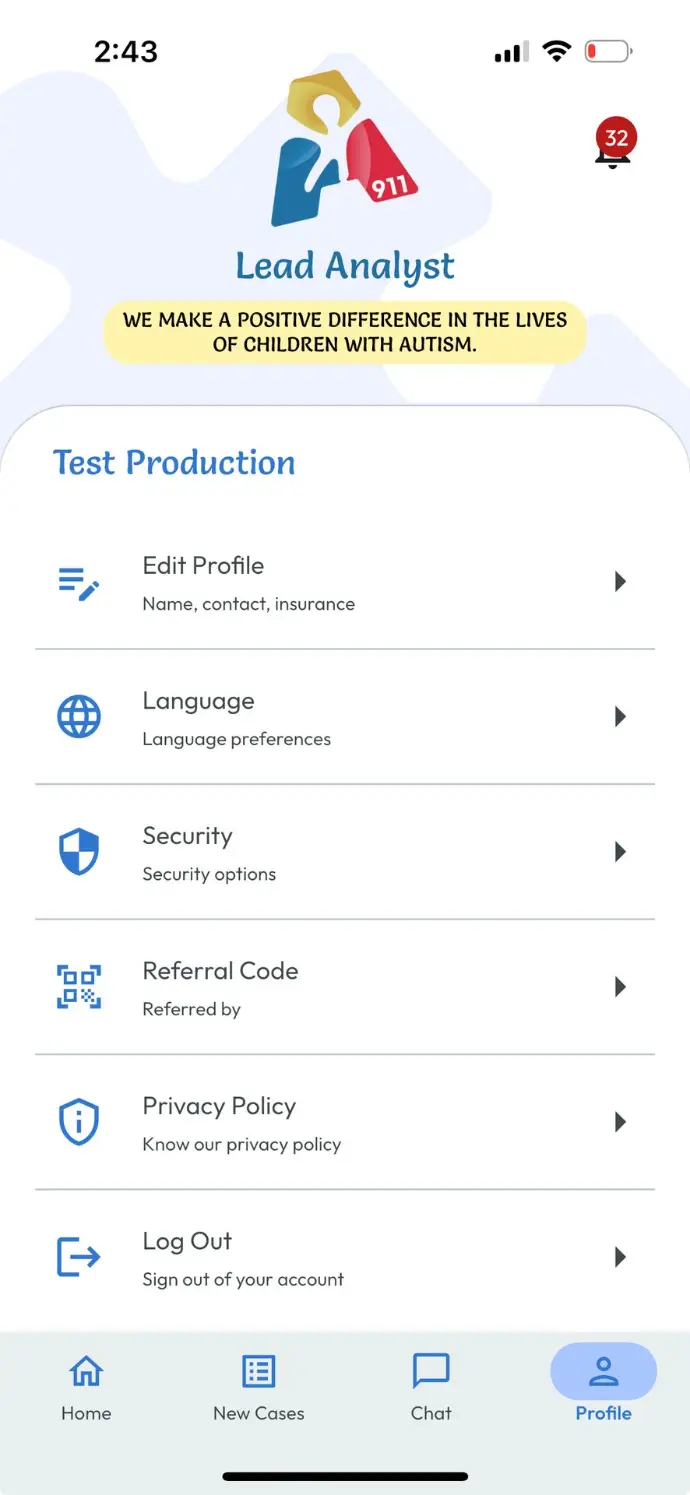
-
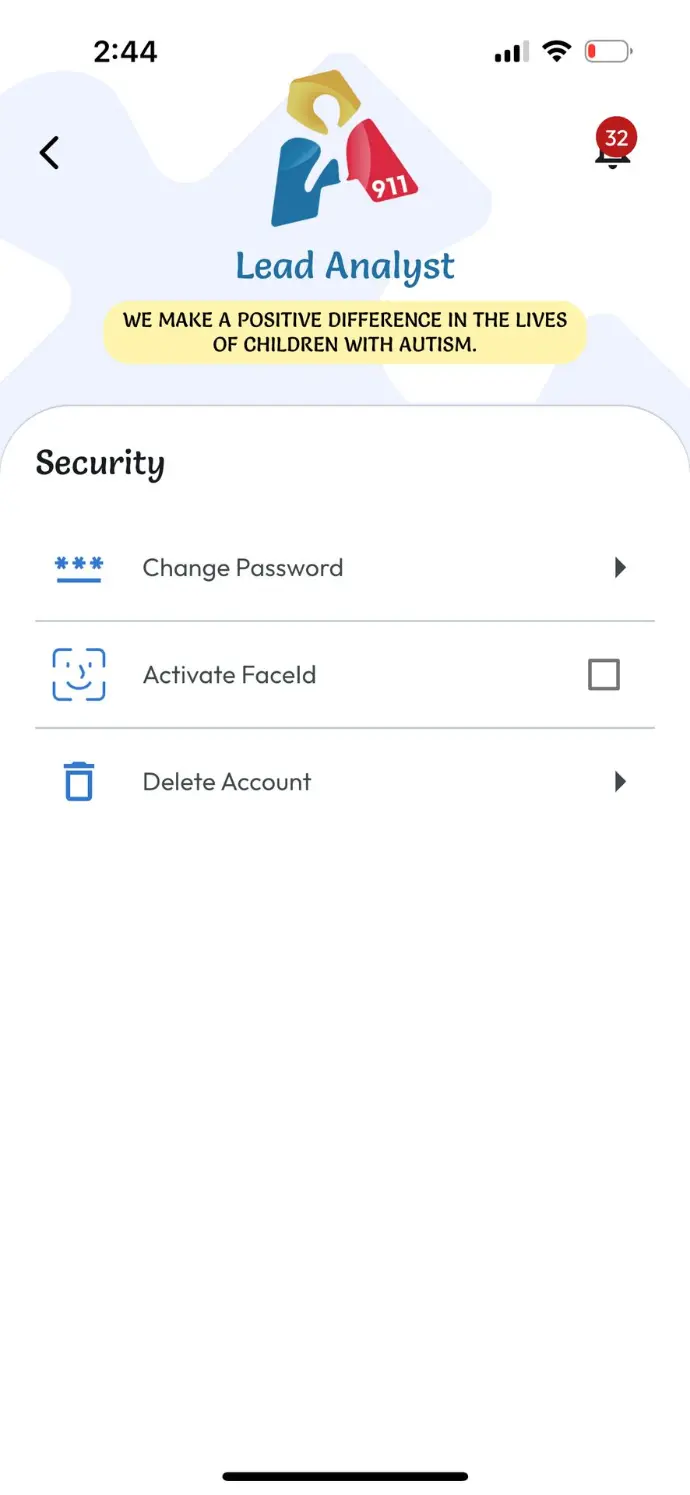
Tap on Security
-
Select the option “Delete Account”.
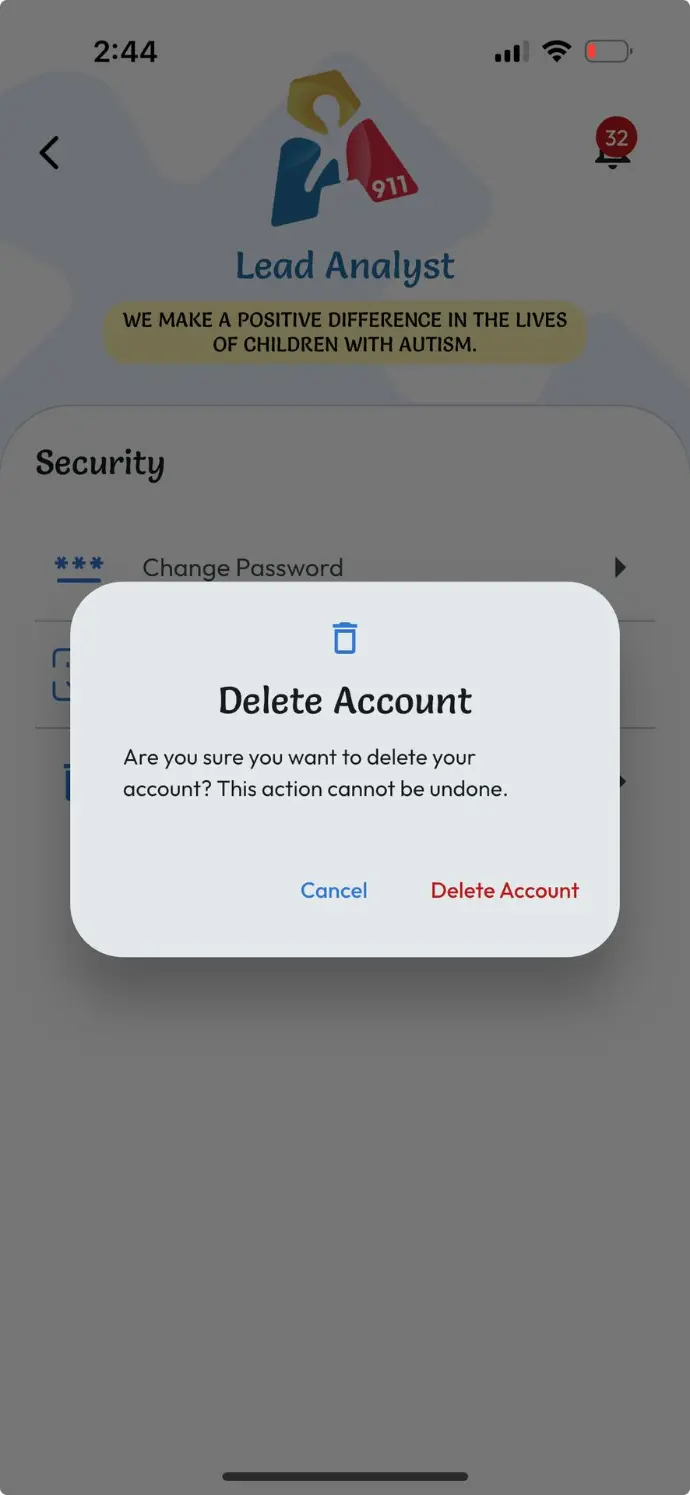
- A confirmation alert will appear asking if you're sure you want to proceed.
- Once confirmed, your account will be deactivated and the 15-day deletion process will begin. You will receive a confirmation email with information about the reactivation period.
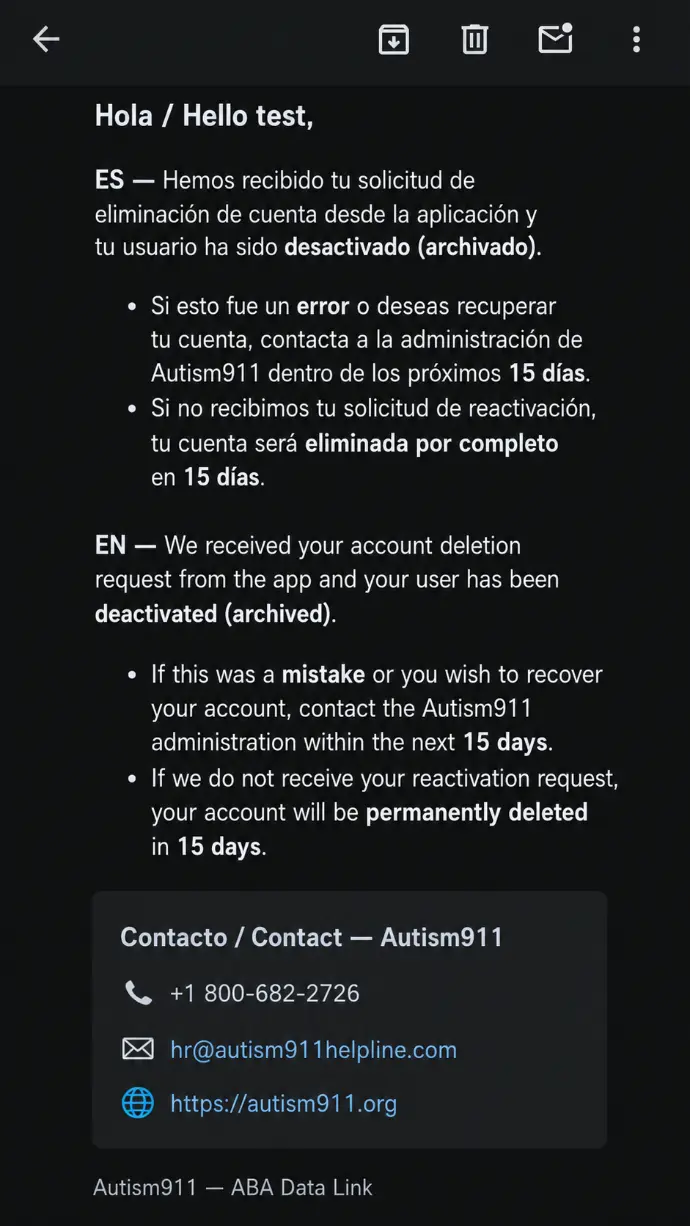
⚠️ Reminder: Your account can be reactivated during the 15-day period. After this period expires and the account is permanently deleted, it can no longer be recovered.
Account deletion Service Provider
If you choose to delete your account, your Autism 911 Service Provider account will be deactivated and scheduled for permanent deletion.
❗ Please note: your account and associated information will be retained for 15 days to allow you to request reactivation if the deletion request was made by mistake.
If no reactivation request is received within 15 days, your account and associated personal information will be permanently deleted from the system and will no longer be accessible or recoverable.
We recommend saving any important data you may need before proceeding.
If you have any questions or need help, feel free to reach out to our support team — we’re here for you.
Thank you for being part of the Autism 911 community.
👉 To start the account deletion process, follow the steps below in the Autism 911 Service Provider app.
To request deletion of your account from the Autism 911 Service Provider app, follow these steps:
-
Open the app and go to your Profile Menu.
-
Tap on Security
-
Select the option “Delete Account”.
- A confirmation alert will appear asking if you're sure you want to proceed.
- Once confirmed, your account will be deactivated and the 15-day deletion process will begin. You will receive a confirmation email with information about the reactivation period.
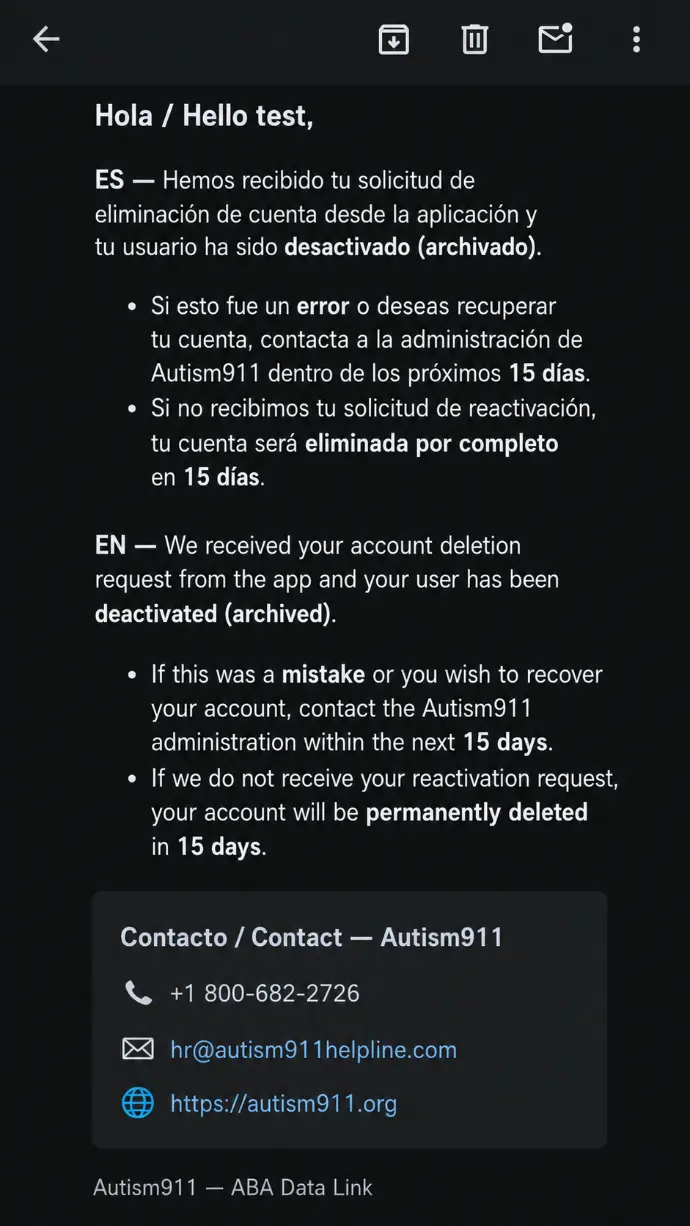
⚠️ Reminder: Your account can be reactivated during the 15-day period. After this period expires and the account is permanently deleted, it can no longer be recovered